
Screenshots
App details
- Updated
- Mar 25, 2004
- Language
- Spanish,English
- Category
- Mobile
SoftPas in:
This product is also available in the following languages:
About M-Grabadora
Download M-Grabadora – voice recorder, note-taking app, audio recording tool, Windows app, productivity software, voice memo
Overview
M-Grabadora is a streamlined productivity tool designed to simplify voice recording and note-taking on Windows systems. Built with simplicity and accessibility in mind, the application enables users to capture audio quickly and efficiently, making it ideal for professionals, students, and anyone who relies on voice-based documentation. The core purpose of M-Grabadora is to eliminate friction in the recording process—users can begin capturing audio with a single double-click on the taskbar icon, ensuring minimal delay between idea and recording.
By focusing on essential functionality, M-Grabadora addresses common pain points such as complex navigation, lengthy setup, and inconsistent access. It is particularly useful in environments where spontaneous note-taking is critical—such as during meetings, lectures, or creative brainstorming sessions. The app supports customization of sound formats, allowing users to balance file size and audio quality based on their specific needs.
Although the developer did not provide additional background details, the application has been available since 2004, indicating a long-standing presence in the Windows productivity ecosystem. Its continued relevance suggests a stable, reliable foundation. The software is free to use, making it accessible to a broad audience seeking a no-frills audio recording solution. M-Grabadora fits into the broader category of utility tools that enhance workflow efficiency without requiring technical expertise.
Key Features & Functionality
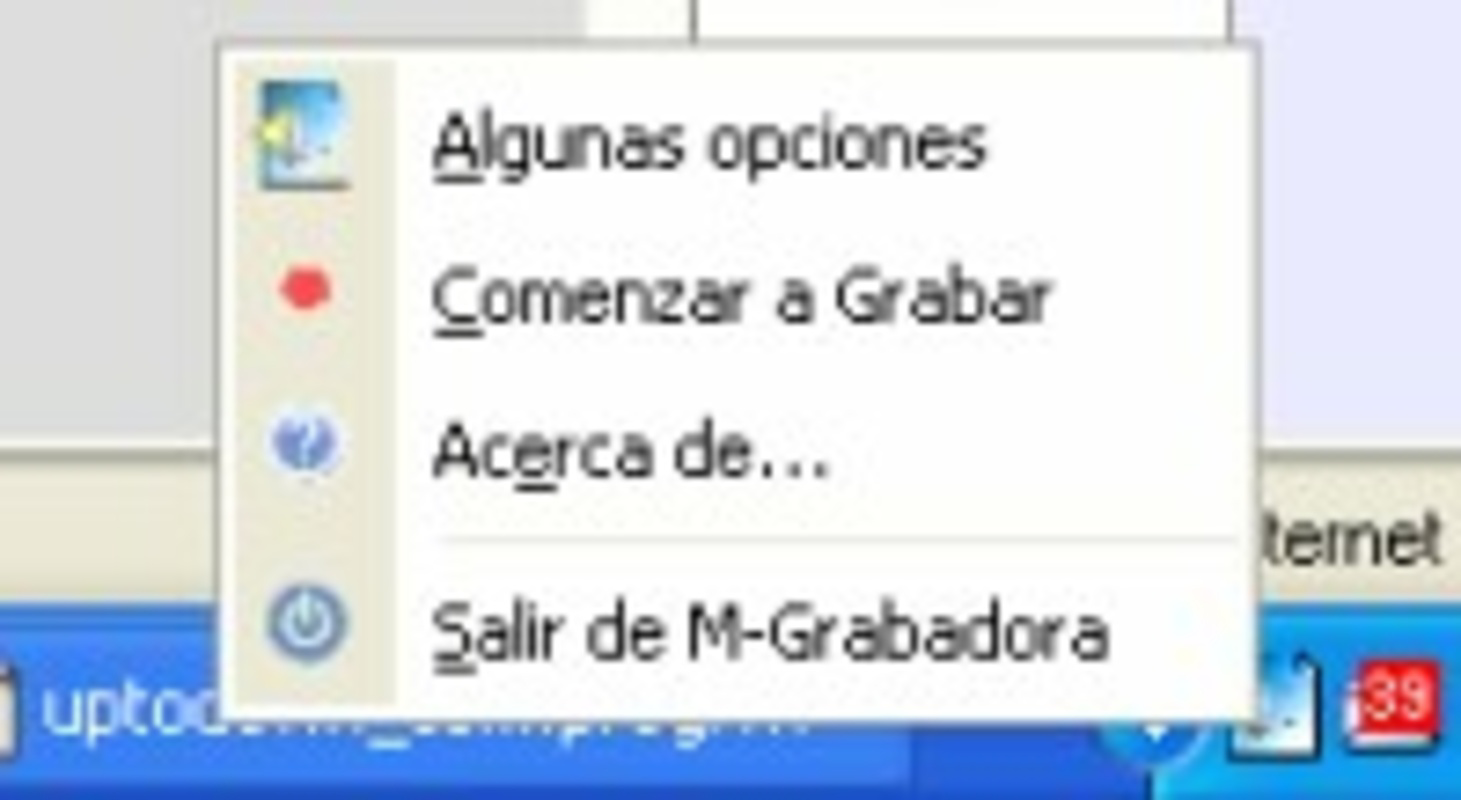
- Quick Recording Access: Start recording instantly with a double-click on the taskbar icon. This feature ensures immediate responsiveness, ideal for capturing fleeting thoughts or urgent notes without interrupting workflow.
- Custom Sound Format Settings: Users can adjust audio quality and file format, enabling optimization for storage, sharing, or professional use. This flexibility supports diverse use cases, from casual voice memos to formal documentation.
- Automatic Startup on Login: The app can be configured to launch automatically when the user logs into Windows. This ensures the tool is always available, reducing setup time and enhancing consistency in daily use.
- Simple Installation Process: A guided installation wizard simplifies setup, making the app accessible even to users with limited technical experience. The minimal learning curve supports rapid onboarding.
- Updated User Interface: The latest version features a refined interface that improves visual clarity and navigation. The updated design enhances usability, allowing users to manage recordings and settings with greater ease.
For example, a student might use M-Grabadora to record lecture highlights during class, then adjust the sound format to reduce file size for easier storage. A business professional could rely on automatic startup to ensure the app is ready for impromptu meeting notes. The combination of instant access and customization makes it a versatile tool across personal and professional contexts.
Interface, UX & Performance
The user interface of M-Grabadora reflects a minimalist design philosophy, prioritizing clarity and functionality. The main window is uncluttered, with essential controls—such as record, stop, and playback—placed for intuitive access. The updated interface improves visual hierarchy, making navigation more predictable and reducing cognitive load.
Navigation is straightforward, relying on a taskbar icon and a compact control panel. Users can access settings, manage recordings, and adjust audio preferences without navigating through multiple layers. The interface is consistent across sessions, contributing to a smooth user experience.
Although the developer did not list formal performance metrics, the app’s lightweight footprint of 1.2 MB suggests efficient resource usage. It is expected to run smoothly on a wide range of Windows systems, including older hardware. Responsiveness is likely optimized for real-time recording, with minimal latency between activation and audio capture.
Stability appears to be a consistent trait, given the app’s long availability since 2004. While no specific crash reports or update frequency were provided, the continued use of the software indicates reliability in everyday tasks. The app is designed to operate in the background without interfering with other applications.
Platform Compatibility & Technical Requirements
M-Grabadora is designed exclusively for the Windows platform. The current version, 1.0.1, has a file size of 1.2 MB, indicating a lightweight and efficient application. It is available at no cost, making it accessible to users across different economic backgrounds.
The developer did not specify minimum OS requirements or compatibility details beyond the platform. As such, it is unclear whether the app supports modern Windows versions such as Windows 10 or 11, or if it is optimized for older systems. Users should verify compatibility with their specific Windows environment before installation.
Given the release date of 2004, it is possible that M-Grabadora was originally developed for earlier Windows versions. However, its continued availability suggests it may still function on updated systems through backward compatibility or minimal system dependencies. No specific hardware requirements were disclosed.
Pros and Cons
Pros
- Lightweight file size (1.2 MB) for fast installation and low resource usage.
- Instant recording access via double-click on taskbar icon.
- Supports customizable sound formats for flexible audio output.
- Automatic startup option enhances accessibility and workflow continuity.
- Simple installation process suitable for non-technical users.
- Updated interface improves usability and visual appeal.
Cons
- Compatibility with modern Windows versions was not confirmed by the developer.
- No information provided about update frequency or future development plans.
- Platform is limited to Windows; no support for mobile or macOS systems.
- Specific technical requirements (e.g., OS version, RAM) were not listed.
- Limited to desktop use; no cloud sync or cross-device access available.
FAQ
Is M-Grabadora safe to download and install?
Yes, M-Grabadora is free and available without ads or bundled software. However, users should ensure they download it from a trusted source to avoid potential risks.
Can I use M-Grabadora on Windows 10 or 11?
The developer did not specify compatibility with Windows 10 or 11. While the app may function on newer systems due to backward compatibility, this is not guaranteed.
Does M-Grabadora support cloud storage or file sharing?
There is no information indicating built-in cloud sync or file-sharing features. Recordings are saved locally on the user’s device.
How often is M-Grabadora updated?
The update frequency is not disclosed by the developer. The last known version was released in 2004, suggesting minimal recent activity.
Can I customize the recording quality?
Yes, M-Grabadora allows users to configure sound formats, enabling adjustments to audio quality and file size based on their needs.
Final Thoughts
M-Grabadora remains a dependable choice for users seeking a no-nonsense voice recording tool on Windows. Its minimalist design, instant access, and customization options make it well-suited for individuals who value efficiency and simplicity. While the app lacks modern features like cloud integration or mobile support, its core functionality is solid and focused.
Professionals, students, and casual users alike can benefit from its ability to capture audio quickly and reliably. The free price point and small footprint further enhance its appeal. For those operating on older systems or preferring lightweight desktop utilities, M-Grabadora offers a practical solution.
Despite its age, the app continues to serve a niche audience effectively. Its enduring presence underscores its reliability and functional clarity. If you need a straightforward audio recording tool without unnecessary complexity, M-Grabadora delivers on its promise.
Download M-Grabadora now
Guides & Tutorials
How to install M-Grabadora
- Click the Download button above.
- Once redirected, accept the terms and click Install.
- Wait for the M-Grabadora download to finish on your device.
How to use M-Grabadora
This software is primarily used for its core features described above. Open the app after installation to explore its capabilities.
User Reviews
No reviews yet. Be the first to share your experience.
You may also like
more
Que no te pillen¡
About !Que no te pillen¡Reviewed by Jason A. BilbreyShow MoreShow Less

3D Combat Zone
About 3D Combat ZoneOriginally released in 1983, 3D Combat Zone immerses players...

666: El día del portal
About 666: El día del portalOn June 6, 2006, Agent P. Stone uncovers a sinister...

80 in 1 Best Flash games
About 80 in 1 Best Flash games 80 in 1 Best Flash games is a collection of 80 fl...

ABYSS SEEKERーーWhat Do You See Deep in The Abyss
About ABYSS SEEKERーーWhat Do You See Deep in The AbyssIn ABYSS SEEKER, players...

ACA NEOGEO THE KING OF FIGHTERS 2002 for Windows
About ACA NEOGEO THE KING OF FIGHTERS 2002 for WindowsTHE KING OF FIGHTERS 2002,...